From Blender to Award: building a 3D Roguelike in 10 weeks with only open source tools
During an ERASMUS programme at Kaunas University of Technology, our team shipped Skayla's Worshippers, a stylized arena roguelike, and won the Best Game Visuals Award. This is the full story: the Blender-to-Godot pipeline, the animation headaches, and what it takes to build a game from scratch.
TL;DR: From April to June, I joined an ERASMUS Blended Intensive Programme (BIP) at Kaunas University of Technology (KTU). On paper, the job was to learn an open-source 3D pipeline (Blender + Godot), then ship a playable game with a small team. We built Skayla’s Worshippers, a stylized roguelike arena fighter, and it later received the KTU Best Game Visuals Award.
Context
One main constraint : open-source stack only. Blender for assets, Godot engine for the game.
You spend less time hunting for the “right button” and more time building the actual mechanisms. When something breaks, you end up reading, inspecting, and reasoning through the pipeline instead of working around it.
We were thought the foundation to building the basics, independent team work through May, then in June, a compressed production sprint: workshops during the day, playtests and iteration loops stacked on top of each other.
What we built
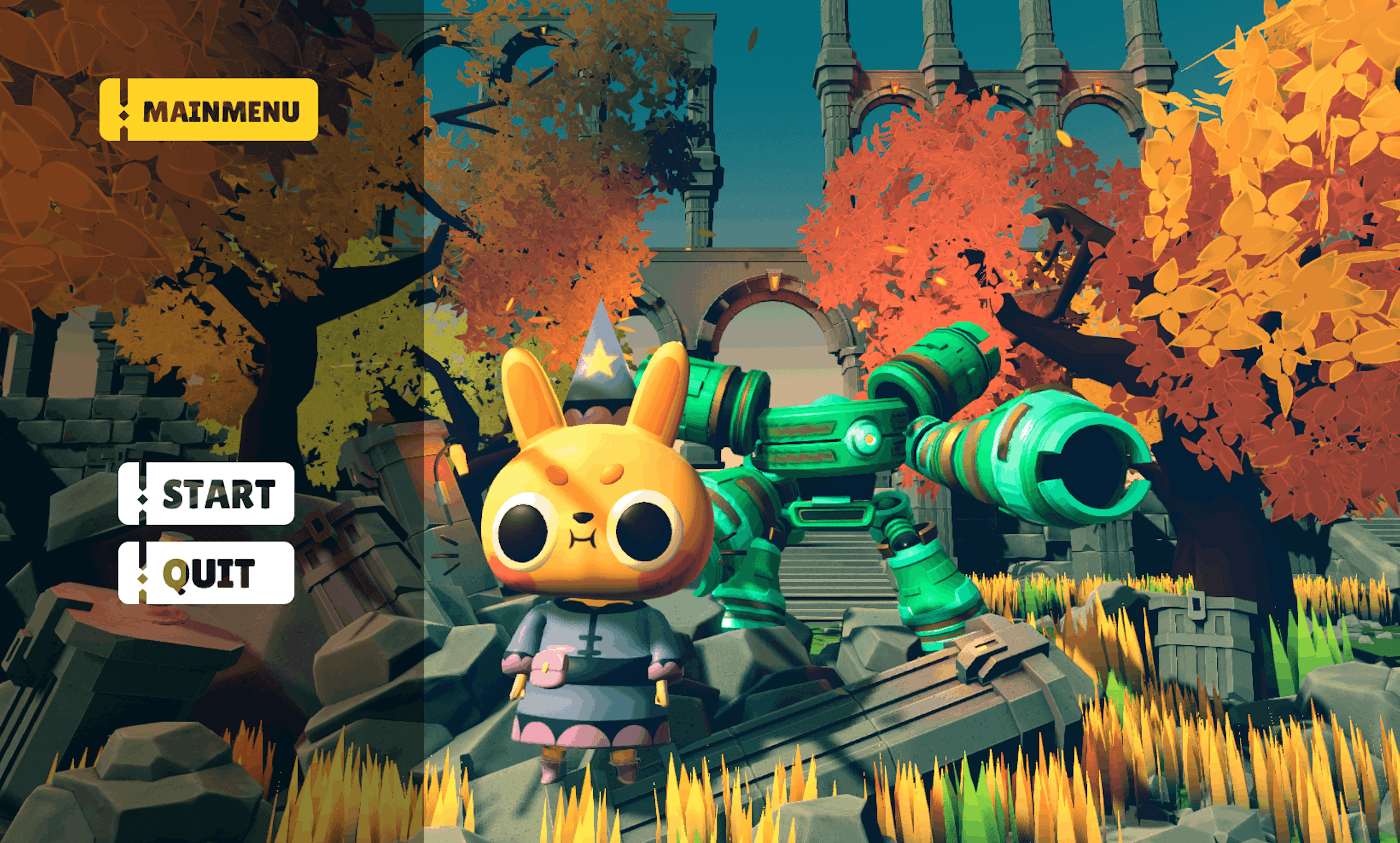
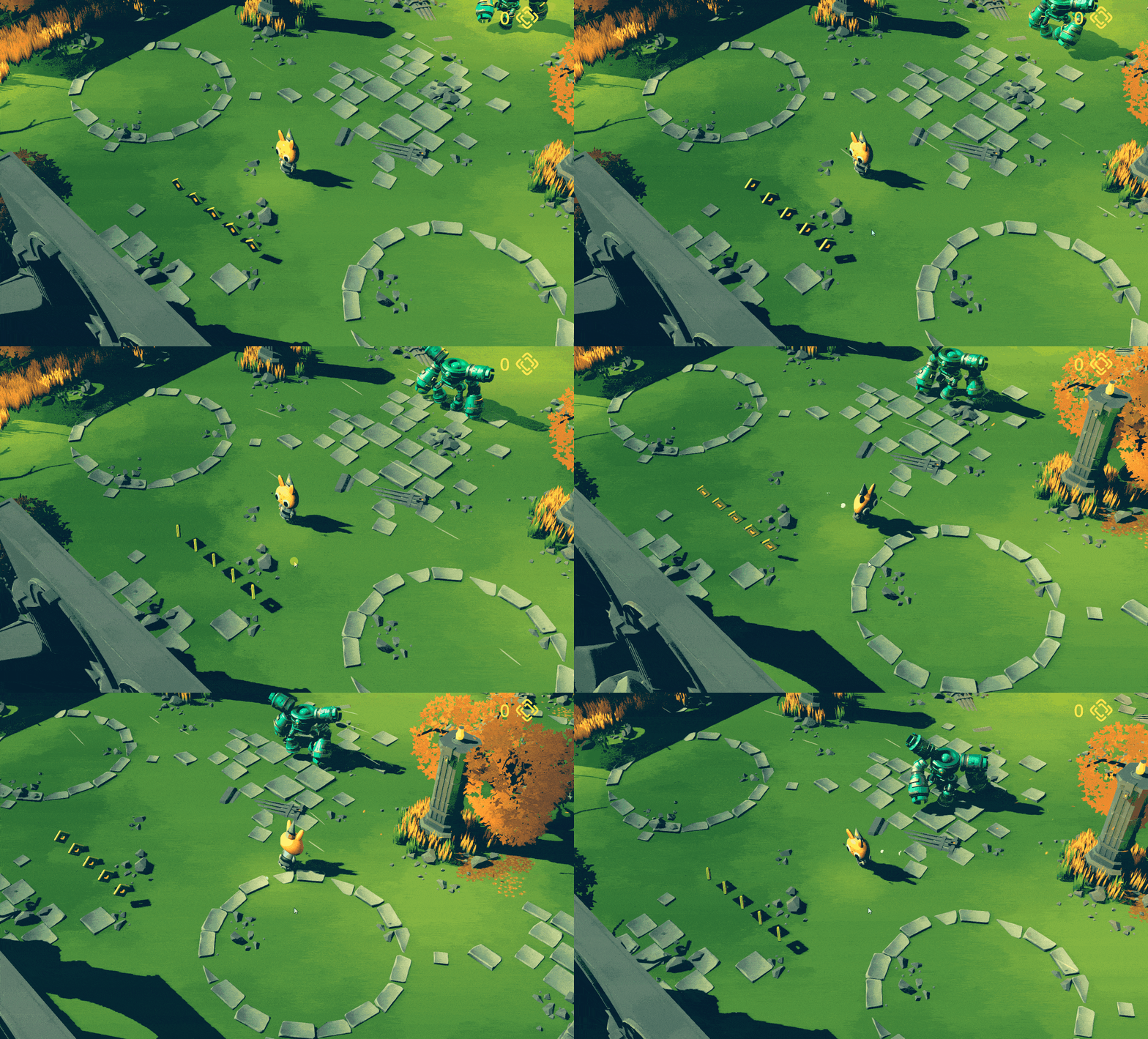
Skayla’s Worshippers is a roguelike arena loop set in a medieval sci-fi world where robots run on “mystical tech” and worship a fictional dog-goddess, Skayla. You play ascute_mage, a bunny mage dropped into one of Skayla’s realms. The core loop is straightforward: fight increasingly difficult waves of worshipper robots, survive, collect, then reset and run again. Most of our design energy went into readability: attacks you can parse quickly, enemies you can read at a glance, difficulty that moves because players taught us where it was too soft or too punishing.
The asset pipeline
We started with 3D modeling for the most boring reason: without assets, the “game” is an empty scene.
Blender is powerful, but the learning curve hits fast when you move past static meshes. A game-ready character pulls you into topology, proportions, UVs and materials, rigging, animation clips, export formats, then repeating that loop without losing your mind.
KTU professors gave us a strong base in how to think about the pipeline. To compete, we had to go deeper and treat Blender like a graph of transformations that you can reason about.
Our main character, cute_mage, is a stylized bunny mage: big eyes, simple readable shapes, and a hat + robe silhouette that stays legible from a top-down / third-person camera.
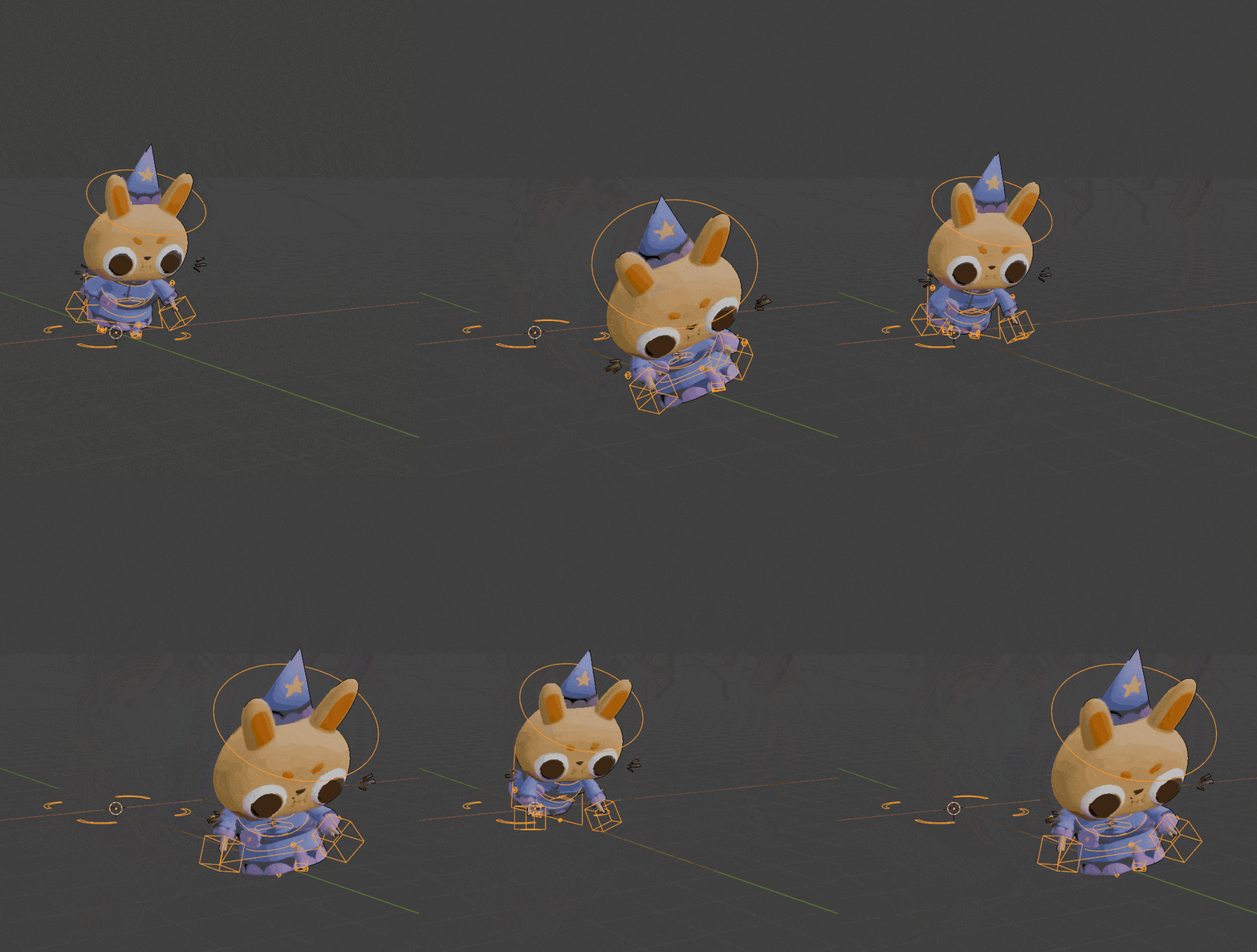
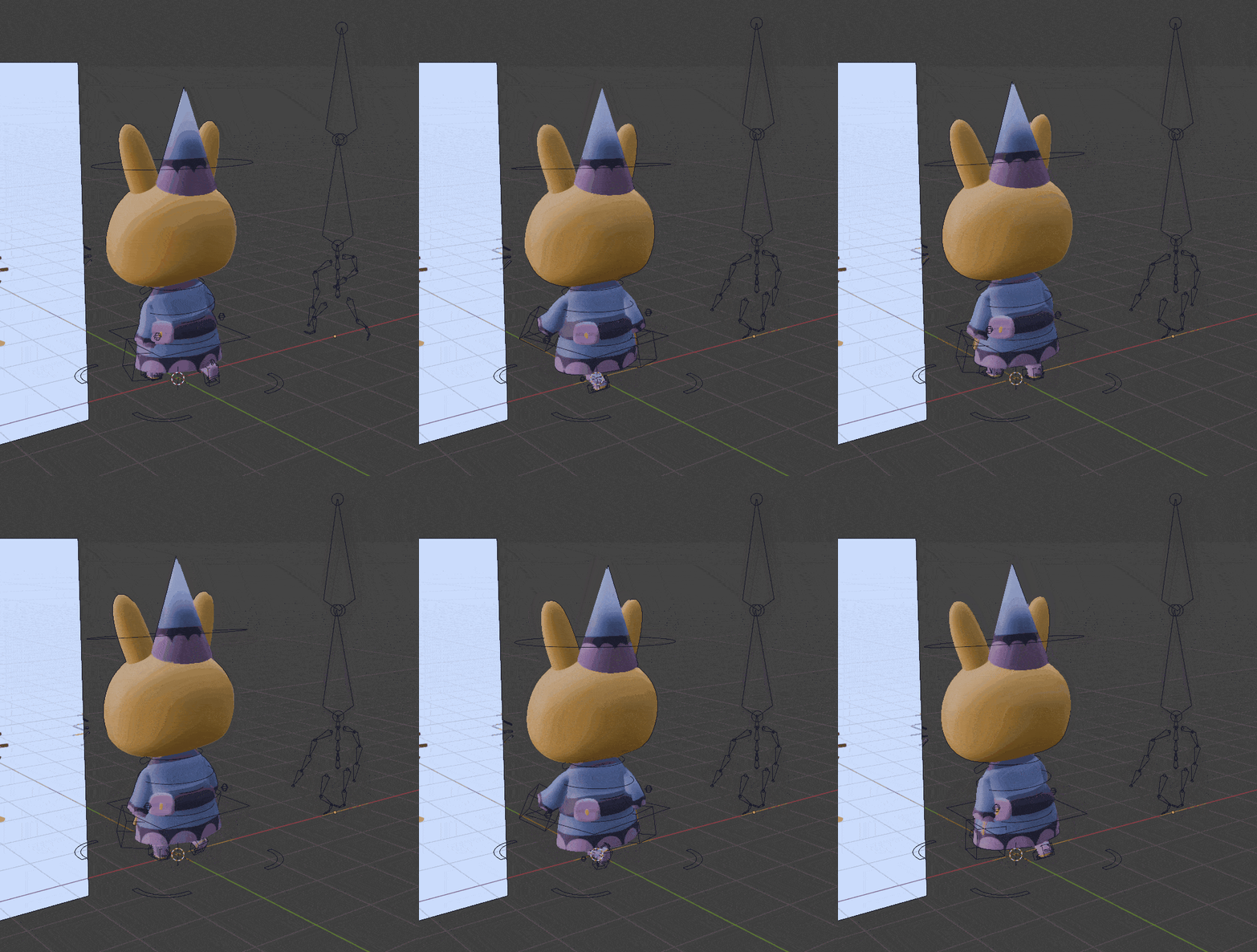
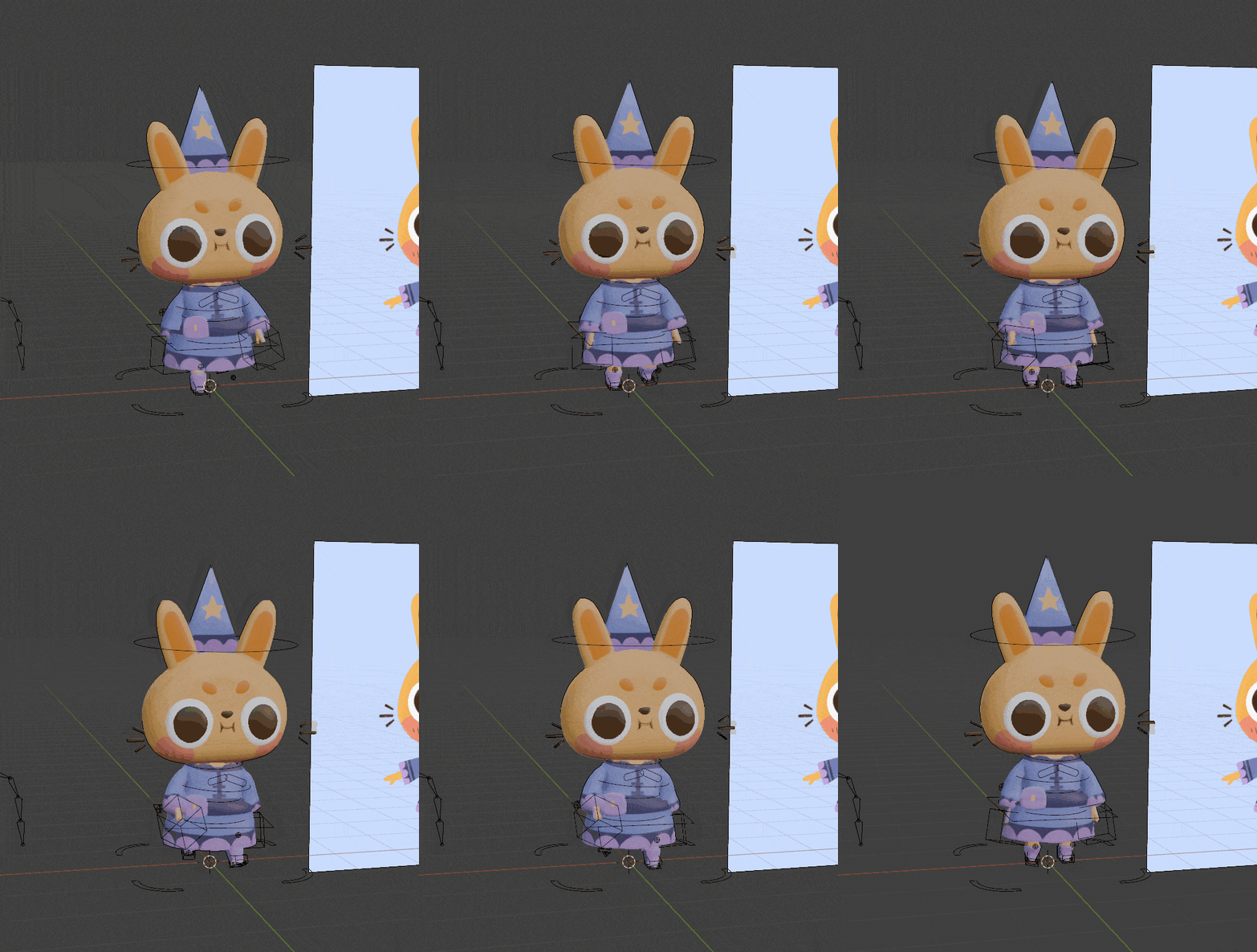
Once we started exporting into Godot, our pipeline looked like this : coordinate systems, scale, animation naming, root motion choices, material import quirks. It looks clean only after you’ve been burned at least once.
Learning Godot by building systems
I had previously touched Unity, so my brain expected a lot of things to be “already there”. Godot felt more explicit. It didn’t fight me, but it also didn’t hide the work.
The public repo is a Godot 4.2 project, with the main scene under Asset/Scene/main.tscn. Godot’s scene tree pushed us to think in composable nodes, and GDScript was fast enough to iterate without turning the code into a mess.
Our learning path was basically the game, assembled one system at a time. We started by getting project settings and workflow under control, then wrote enough GDScript to move something on screen. From there it was player locomotion, attack, dodge, combo timing and input buffering, input mapping, AnimationPlayer control, then the bridge between animation and code (signals and events). After that we added VFX hooks, navigation-based enemy movement, a state pattern for both player and enemies, health and damage, pickups and coins, then a game manager for wave progression. UI and export came later.
The combat system
Most “game feel” problems show up as timing problems. Combat has to be predictable to the player and precise in code.
We treated player combat like a small formal system with a clear set of states (idle, move, attack_1, attack_2, dodge, hitstun), transitions driven by input and animation events, and rules that stay true even under messy input (for example, dodge i-frames, and combo windows that close on time).
The combo rule I kept in my head can be written as a windowed condition:
Here, is the time the attack input arrives, is the animation marker where chaining becomes valid, and is the buffer window length.
That detail impacts how the game feels in your hands. Players notice immediately when a combo drops for reasons they can’t see.
We also leaned hard on animation-to-code events instead of guessing timing in scripts. The animation owns the hit frame marker, code listens and spawns hitboxes or applies damage, and animation end drives the transition back to idle or opens the chain window.
# Sketch: event-driven combat
func _on_attack_hit_frame():
    spawn_hitbox()
    play_vfx()

func _on_animation_finished(anim_name):
    if anim_name == "attack_1" and can_chain:
        start_attack_2()
    else:
        state = IDLE
That pattern kept gameplay logic tied to what the player actually sees, which saved us a lot of late-stage timing tweaks.
Enemy AI and pacing
For enemies, we used Godot’s Navigation system for pathfinding (navmesh-based navigation and path queries). The hard part was turning “can reach the player” into behavior that looks intentional. Where do enemies stop. When do they attack. How do they avoid forming a polite single-file line behind each other.
Our approach combined navigation target selection, local steering and speed control, and a small behavior state machine (idle, chase, attack, dead). In the background, it was the classic pathfinding objective:
Once locomotion, combat, and enemies were in place, most of the work became pacing. We built a wave escalation loop (more robots, tougher robots, tighter arenas). In practice, tuning difficulty felt like optimizing an objective you can’t measure directly, so I thought about it like this:
We never measured directly. We approximated it with playtest signals: time-to-first-death, dodges per minute, whether players could explain why they died, whether they restarted without being prompted, and blunt feedback like “hard but fair” or “I had no idea what hit me”.
The last week, then the award
In June, teams played each other’s games and rated them, which gave us a tight feedback loop : someone plays your build, tells you what confused them, you translate that into a concrete change, then you push another build and watch again.
We focused a lot on polishing our work. We reduced animation ambiguity so attacks read faster. We tightened input buffering so dodge and combos feel responsive. We simplified UI so it didn’t compete with combat. We cut features when they threatened the core loop.
The closing moment was the award ceremony. We were competing against teams across multiple nationalities. When Skayla’s Worshippers was called for the Best Game Visuals Award, it felt amazing! and also earned because we worked hard on the consistency between visuals, mechanics, pacing, and what players could understand while the screen was busy.
What I’d change if I restarted tomorrow
This repo is a strong foundation, and it also shows where time pressure shaped decisions.
If I restarted with the same constraints, I’d push more balancing values into configuration (resources/JSON) from day one, so iteration looks like editing a table instead of editing code. I’d add a small debugging and telemetry layer early, even if it’s just counters like damage taken per wave, enemy density, and input frequency, for reasoning about late-stage playtesting feedback in numbers. I’d also formalize state transitions earlier, with explicit transitions and a habit of testing them, because the “one more exception” style grows fast when the deadline is close.
Why this experience mattered to me
I’m majoring in AI and data science, so it technically looks like a detour. In practice, it trained the part of engineering I care about: building interactive systems that respond in real time, matching human perception with code constraints, keeping a pipeline stable across multiple tools, and treating iteration like an experiment loop with noisy observations.
It also helped that games are honest. If the build feels off, you notice it in seconds.
This project ended up being one of the cleanest “full stack” experiences I’ve had: assets, runtime systems, behavior, UI, export, and the constant pressure of keeping everything working together.
If you’re browsing quickly: KTU published an article about the BIP program, and the repo shows the Godot 4.2 project structure with Asset/Scene/main.tscn as the entry point.
Huge thanks to the KTU staff who ran the BIP and mentored us through a real production-style timeline, and to my teammates. Shipping a game under deadline stays a team sport.